
Organic Marketing: What It Is and How to Get Leads Without Paying for Ads
Organic Marketing: What It Is and How to Get Leads Without Paying for Ads Author : Albin V CEvery business…
Author : Devi A
One of the perplexing aspects of learning Flutter is figuring out how far to go after some basics. You learn some widgets, design a screen, and you’re making progress. But then APIs, state management, databases, and testing come along, and suddenly your task of learning doesn’t have an end.
In my experience, the simplest thing to do when trying to learn any kind of skill is to forget learning everything. Instead, choose one idea and apply it. The following steps will help you figure out where to go next.
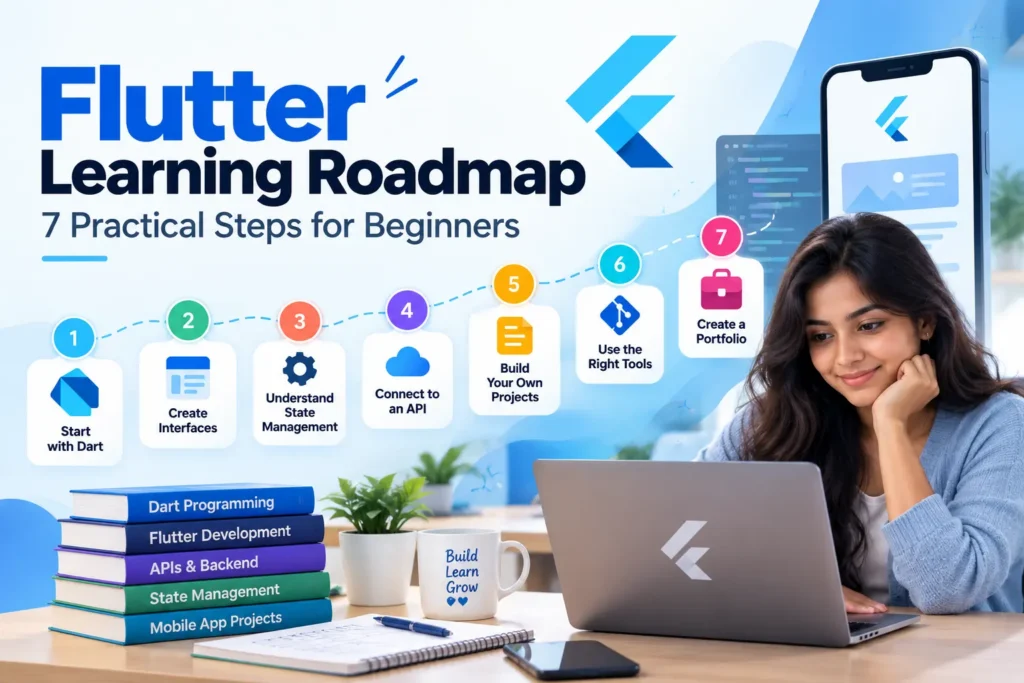
It’s time to learn Flutter, so it only makes sense to start with the language it uses. And no, there’s no need to study programming theory for months before making an app.
Study variables, conditions, loops, functions, lists, and maps. Understand classes and practice reading other people’s code. In the future, you’ll want to understand null safety and asynchronous programming.
This last one is particularly helpful when working on apps. Say your app shows a list of products from some online store. The data will not be available right away because your app will have to wait for a response from the server. Knowing about Future and async/await will help you work with this pause.
A piece of advice. Don’t look up the solution immediately. Even if it turns out to be incorrect, you’ll know what exactly you need to learn.
This is normally when Flutter starts to become enjoyable. You write your code, execute the app and see the result of your application on the screen.
You have to know about the widely used widgets such as Row, Column, Container, Stack, ListView, and Scaffold. After learning all the basics, you will learn navigation, form creation, and input from the users.
Make yourself a simple registration screen. Just a few text fields and one button that would validate the information before proceeding.
Now try making your screen fit the small phone screen. You may find out that the keyboard covers the field or that your text exceeds the screen’s boundaries. That is normal stuff in mobile application development.
Your first screen may not look exactly as you imagined, and that’s fine. Focus on understanding how the widgets fit together and what causes the layout to change.
It is very likely that developers will be mentioning Provider, Riverpod, and BLoC before you manage to develop the first application.
There is nothing wrong with having such an urge to master all of them right from the beginning.
You don’t need to.
Start with setState() and realize how changes in data influence the interface. Create something that involves passing information between components.
An expenses tracker would be a great example here. Adding a transaction will require to update the list of transactions and total amount of money. The more screens and features you will add to your app, the harder it will become to organize such updates.
It is high time to find out about state management. Pick one according to your needs and try to use it in your app, instead of changing libraries every few days.
Eventually, you will need your app to show data that is not available within your code. Learning to integrate APIs will give you lots of options to use.
Start from doing HTTP requests and getting back JSON answers. Practice showing the data you get, displaying loading and error messages.
Here’s an idea. Create an app that gets weather info by using a city name. Make it work first and then turn off your internet connection. What will happen?
Thinking about situations like this helps you build applications that behave sensibly outside a tutorial.
You can explore local storage after that. Hive is useful for storing structured data locally, while shared preferences is suitable for simple settings such as a selected theme.
There is a distinction between observing how an application was developed and creating one on your own.
When you’ve completed a tutorial, close it and do everything on your own. You will forget something and be unable to continue from the middle of development, but it is perfectly fine.
Take a plain todo app if you want to gain some experience. Select something like expense tracker or a product catalogue for your future application. Develop slowly and make decisions as you go along.
There is no need for something new, extraordinary. Choose an application that you are familiar with and can handle. Whenever something doesn’t work as expected, take a closer look at what went wrong and try to work out the reason.
As you create bigger and better projects, managing your code will become more and more challenging. Start learning about version control by learning Git and storing your projects on GitHub.
Debugging and testing of your application along with proper structuring of its architecture becomes very important too. It is not required to learn everything about the different kinds of testing methods, but just how to make sure that everything works fine.
It might not be as exciting as making a fancy interface, but it could turn out to be very valuable in managing your applications.
Since you have learned a lot about creating apps, it is now time to prepare for working with Flutter.
Select two or three of your projects that demonstrate different skills. Make them available on GitHub, talk about functionality in detail, and understand how each thing works in the code.
However, it would be pointless if one is preparing for the interview to know only the definition of the concepts. Rather, one must learn how one makes decisions on selection of the widgets, how the application gets its data, and how one overcame the problem faced.
Do not include functionality into your portfolio which you do not know how to explain.
It’s not always easy to learn Flutter. At some point, you’ll grasp a new idea instantly, while at others, it will take you all night to figure out why your screen isn’t showing up properly.
Forget about calculating how many tutorials you have already completed and see how you will do without help from anybody else’s code. Experiment and repeat difficult material whenever needed.
There is no need to know everything before developing something valuable. All that’s needed is continuous creation.
Learning Flutter becomes more practical when you apply concepts through projects. If you’re looking for structured Flutter training, contact Edure Learning to learn about available programs, learning formats, and upcoming batches.

Latest Articles
Insights, tutorials, and updates from our team — delivered fresh.

Organic Marketing: What It Is and How to Get Leads Without Paying for Ads Author : Albin V CEvery business…
Learning Flutter: A Roadmap That Actually Makes Sense Author : Devi A Where Do You Start? One of the perplexing…

Where to Learn Digital Marketing? What Beginners Should Know Author: Albin V CPromoting a service, a product, or even your…
Life as a Flutter Developer: Not Every Day Goes as Planned Author: Devi A Easy Task But Then I Realized…
Flutter Developer Jobs: Requirements, Career Progression and How to Get One Author: Devi A | Flutter Developer Introduction It is…
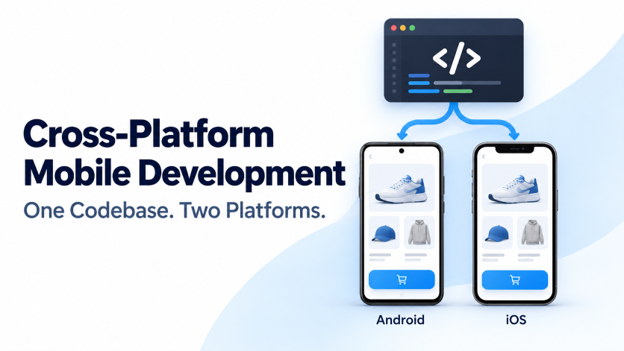
Cross-Platform Mobile Development – Develop Applications on Multiple Platforms with Single Code Base Written by Devi A | Flutter Developer…